How to Pay the FESCO Bill?
Paying your electricity bill shouldn’t be a headache. Yet, for many people, especially those unfamiliar with digital methods, it still feels like a chore. If you’re a customer of FESCO (Faisalabad Electric Supply Company), you have multiple convenient and fast ways to pay your bill—online or offline.
In this step-by-step guide, you’ll learn how to pay your FESCO bill using various methods available in 2025. From banking apps and digital wallets to post offices and local shops, we’ll cover every method with practical tips, real-life examples, and expert advice.
What is FESCO?
FESCO, short for Faisalabad Electric Supply Company, is responsible for distributing electricity in major districts of Punjab, Pakistan. These include Faisalabad, Jhang, Toba Tek Singh, Sargodha, Mianwali, Chiniot, and Bhakkar. With millions of active users, FESCO is known for its relatively efficient service and extensive customer base.
Why Paying the FESCO Bill on Time is Important
Timely bill payment is more than just avoiding late charges. It helps you maintain uninterrupted power supply, avoid reconnection fees, and keep your credit history clean with your service provider.
Example: Waqas, a schoolteacher from Sargodha, missed his bill deadline due to workload and had to pay a hefty reconnection fee after power disconnection. Avoiding such trouble requires just a few taps on your mobile or a quick visit to a nearby shop.
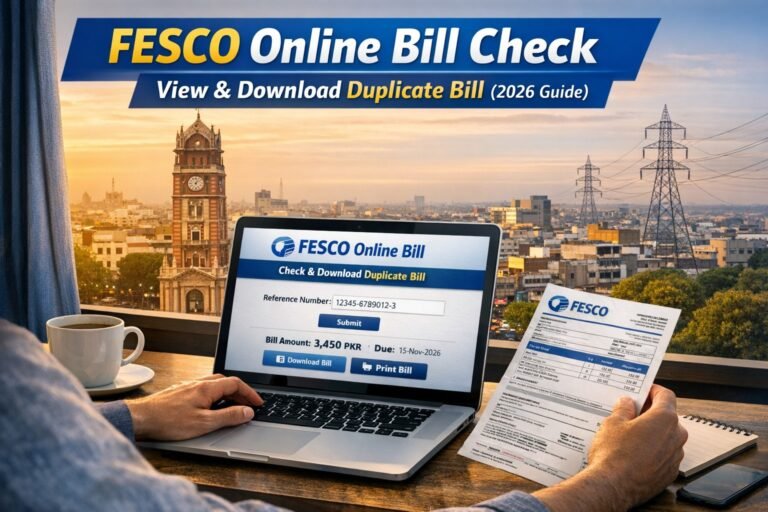
How to Check Your FESCO Bill Before Payment
Before making any payment, it’s important to confirm the bill amount, due date, and reference number.
Method 1: Via FESCO Official Website
- Visit www.fesco.com.pk
- Click on the “Customer Bill” option
- Enter your 14-digit Reference Number
- Click “Submit”
- Your bill will appear on the screen. You can view, download, or print it.
Method 2: Through the FESCO Light App
- Download the FESCO Light App from the Google Play Store
- Register using your consumer details
- Access your latest bills, notifications, and consumption history
Online Methods to Pay FESCO Bill in 2025
Digital payments have made life easier. Here are the most trusted ways to pay your FESCO bill online.
1. Mobile Banking Apps
Most banks in Pakistan now allow utility bill payments directly through their mobile apps. Commonly used apps include:
- HBL Mobile
- UBL Digital
- MCB Live
- Meezan Bank App
- Bank Alfalah
- Allied Bank App
Steps to Pay:
- Open your bank’s mobile app
- Navigate to “Bill Payments”
- Select “Electricity” and then “FESCO”
- Enter your 14-digit reference number
- Confirm the details and proceed to pay
Expert Tip: Most apps offer receipts via SMS and email. Keep those as proof of payment.
2. JazzCash and Easypaisa Apps
These digital wallets are widely used across Pakistan, especially in areas without easy bank access.
How to Pay via JazzCash:
- Open the JazzCash app
- Select “Pay Bills” > “Electricity” > “FESCO”
- Enter your bill reference number
- Confirm the amount and press “Pay”
How to Pay via Easypaisa:
- Open the Easypaisa app
- Go to “Pay Bills”
- Choose “Electricity” then “FESCO”
- Enter your reference number and pay
Use Case: Students and freelancers often use Easypaisa or JazzCash because of their simplicity and speed.
3. Internet Banking Portals
If you prefer using a laptop or desktop, most banks also offer FESCO bill payment via internet banking portals. Just log in, go to “Utility Bills”, choose “FESCO”, and complete the process.
Advantages:
- Detailed transaction history
- Immediate receipts
- Multiple account payment options
Offline Methods to Pay FESCO Bill
While digital methods are popular, many people still prefer traditional ways of bill payment. FESCO supports several offline options as well.
1. Post Offices
Visit any Pakistan Post branch with your printed FESCO bill. Pay in cash over the counter and get a stamped receipt.
Note: Many post offices close their bill collection service after 3 PM.
2. Bank Branches
You can also pay at your nearest bank branch. The cashier will receive your bill and payment, and provide a receipt. Accepted banks include:
- HBL
- UBL
- MCB
- Meezan Bank
- Allied Bank
- Askari Bank
- Bank Alfalah
3. Retailer Shops (JazzCash or Easypaisa Agents)
Thousands of kiryana shops now offer bill payment services. Just go to an authorized JazzCash or Easypaisa agent, provide your reference number, and pay in cash. You’ll receive a digital or printed receipt immediately.
LSI Keywords: FESCO bill payment agent, local utility payment shop, nearest bill center
How to Confirm Bill Payment
After paying your bill, always confirm the transaction. You can:
- Check the payment confirmation in your app or internet banking
- Save the SMS/email receipt
- Visit the FESCO website after 24 hours to check the payment status
- Call the FESCO helpline at 111-000-118 for verification
Can You Pay a FESCO Bill After Due Date?
Yes, FESCO accepts bill payments even after the due date, but a late payment surcharge will be applied automatically.
Tip: Avoid last-minute delays, especially near weekends or public holidays, to prevent disconnection risks.
Tips to Avoid Missing Your FESCO Bill
- Enable Auto-Pay: Many apps offer auto-debit features to automatically pay your bill each month.
- Turn on Notifications: Activate email or SMS alerts in your banking or wallet app.
- Set Monthly Reminders: Use Google Calendar or a reminder app.
- Subscribe to FESCO SMS Alerts: Send your reference number to 8118 to receive monthly bill notifications.
What Happens If You Pay the Bill Twice?
Duplicate payments can happen, especially during app slowdowns or network issues.
Solution:
- Contact FESCO via helpline or visit their office
- Provide your reference number and transaction ID
- The extra payment is usually adjusted in the next month’s bill
Final Thoughts
Paying your FESCO bill in 2025 is more convenient than ever. Whether you prefer the latest digital tools or traditional offline options, there’s a method that fits your lifestyle. Just remember:
- Always check your bill before paying
- Choose a trusted method—app, bank, or shop
- Save your receipt
- Pay before the due date to avoid penalties
With so many easy options, there’s really no reason to miss your FESCO bill again.
Frequently Asked Questions
Q: Can I pay my FESCO bill online without a bank account?
Yes, you can use Easypaisa or JazzCash apps or visit a nearby agent.
Q: Is the FESCO Light app available for iPhone?
As of 2025, it’s available for Android only. iOS users should use mobile banking or internet banking apps.
Q: How can I get notified when my bill is issued?
Send your reference number to 8118 and subscribe to SMS notifications.
Q: Can I pay someone else’s FESCO bill from my account?
Yes, as long as you have their reference number, you can pay it from any bank or app.